
Decempe

Decempe Measure

The dimension that isn’t on the plan.

Set one known dimension. Measure the rest.

Check whether the sofa fits. Try that kitchen layout. Measure before you build or buy.

Beta on iPhone, iPad, Android & macOS

See how it works
Watch the real app · 23 seconds. Set a 4.60 m reference, then measure 2.86 m between wall centerlines.

How it works

  1. Open your plan

    Work directly on your PDF drawing.
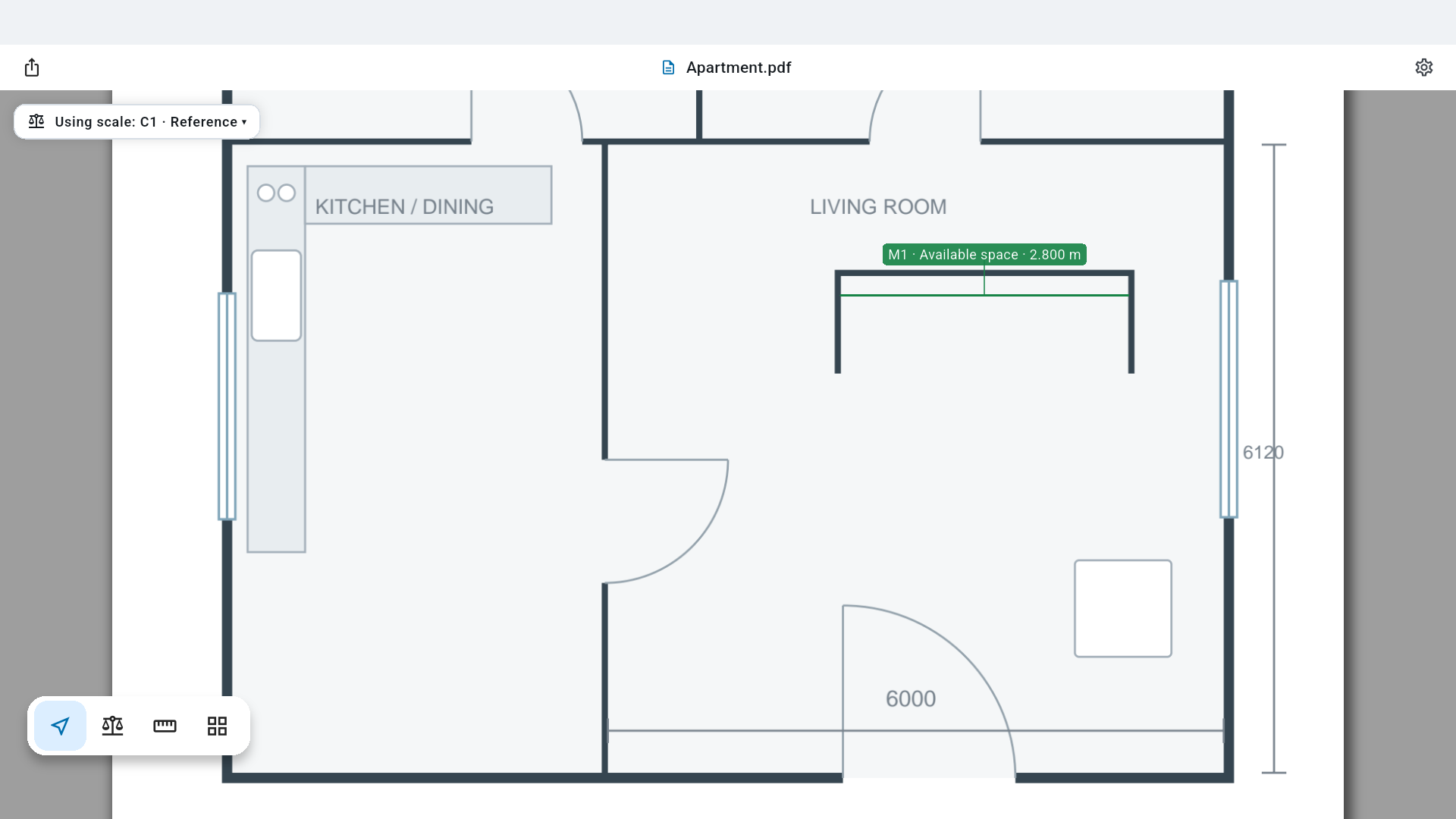
    A PDF floor plan open in Decempe Measure, with original dimensions and a measurement on the drawing.
  2. Calibrate

    Set the scale from one known dimension.
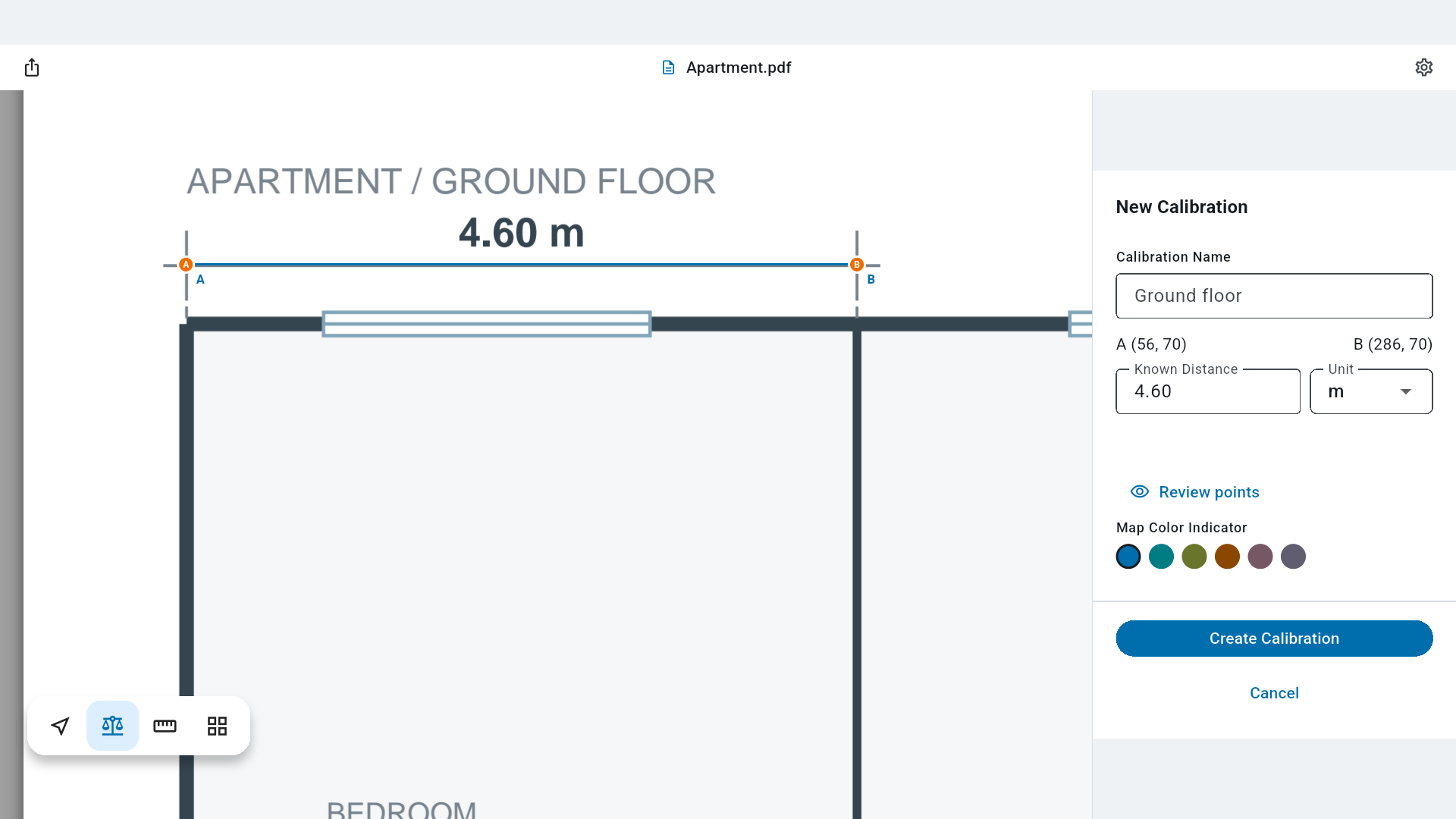
    Calibration anchors aligned with the printed 4.60 m dimension, with its known distance entered in the inspector.
  3. Measure

    Snapping and the touch loupe help you aim.
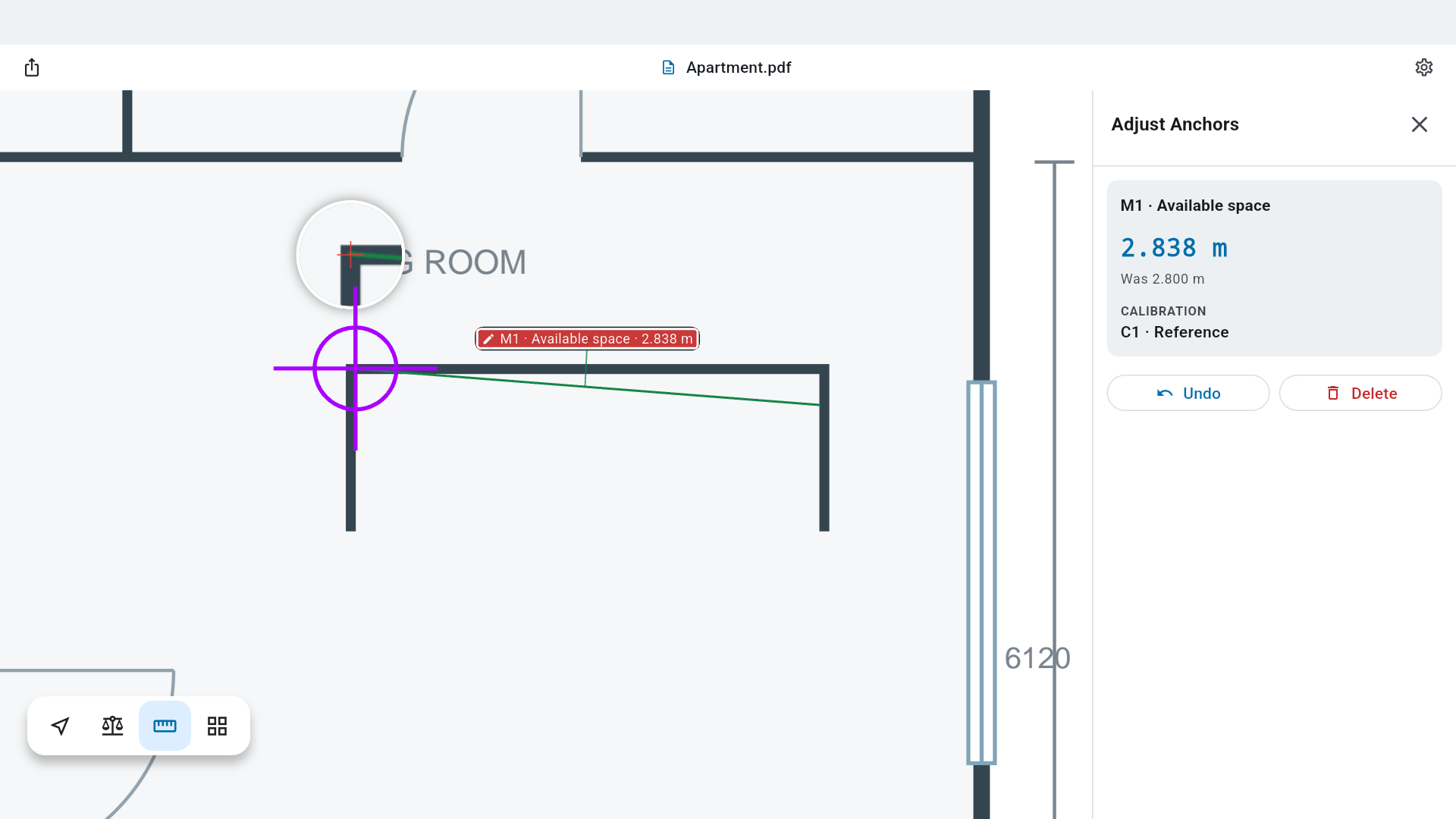
    The real touch loupe magnifying the plan around a measurement anchor for fine positioning.

Will it fit?

A new sofa. A worktop. A desk in that awkward corner. Put it on the drawing at its actual size before making the decision.
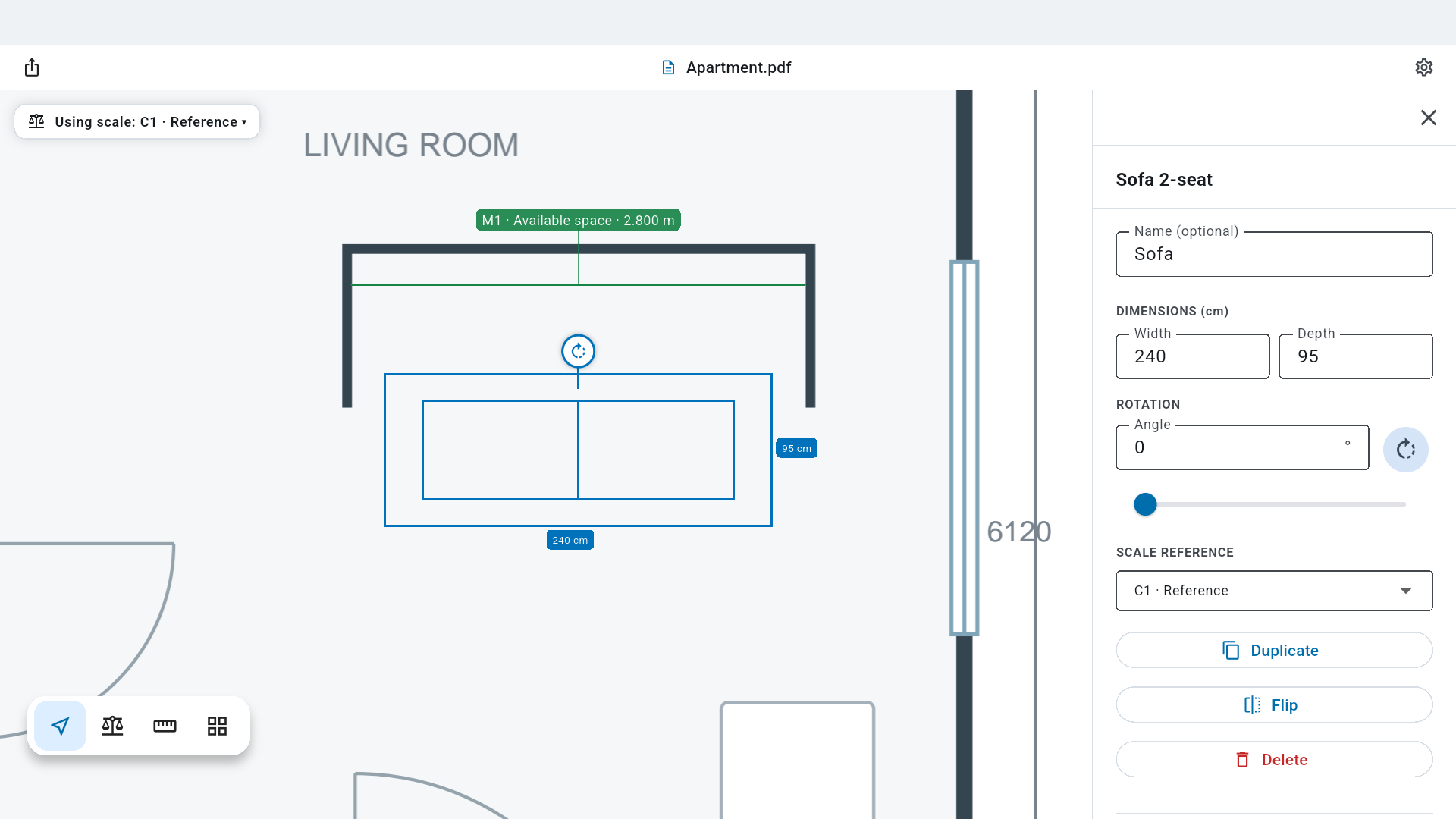
A 240 cm wide, 95 cm deep sofa compared with a measured 2.800 m recess, with editable dimensions in the inspector.
Compare sizes. A 2.40 m sofa in the 2.80 m gap.

Try Decempe Measure

Currently in beta for iPhone, iPad, Android and macOS. Email us for access or questions about the app.

Ask about the beta
Decempe Measure / actual app screen